Not right now god damn it

I have had my current desktop for just a noodge over five years, and I am starting to think that I might need to replace it sooner rather than later. It is the most insanely aggravating tech problem I have encountered, in that it isn’t one tech problem. Shit just Keeps Going Wrong, and I can’t for the life of me isolate what the problem might be beyond a vague suspicion that my dedication to Apple products is about to bite me in the ass. If this were a home build, I could start replacing parts– I mean, that would be expensive and insane, but I could do it. I could keep replacing bits of the computer until this random fucking series of crashes, application hangups and hardware shutdowns — my trackpad, for God’s sake, keeps shutting down, and it has a physical on/off button– stopped, or I’d managed to create the iMac of Theseus and just gave the fuck up.

The Music app crashes. Chrome crashes. Safari crashes. The monitors are going wonky. The trackpad shuts down randomly. The entire computer keeps hard restarting in the middle of the night and when I first wake it up after a hard crash it takes a good ten minutes before everything starts behaving, and then it’s fine for an unpredictable amount of time– anywhere from a few minutes to a couple of days– until it’s not anymore.

I don’t know how to diagnose this. I thought a Safari patch had cleaned it up but that only lasted a few days and now Music is crashing, and there are 65 fucking gigabytes of music on this damn computer, so moving to another one is going to be a huge pain in the ass. Also, just to make it worse, Apple isn’t making 27″ iMacs any longer, so I can either move to a smaller main monitor or a Mac Studio, and those start at two fucking grand before you buy a monitor to go with it. I mean, I can spread that out, and truth be told I can afford it, but I really don’t fucking want to right now. I want to fix this, and normally “fix my computer” is included among my skill sets, but there are enough things going wrong that I’m starting to suspect it’s either the motherboard or the hard drive, and … that’s a new computer, since I can’t replace either.

I mean, I could go back to Windows, but I could also shoot myself in the fucking face and not have to worry about it, and those options are of equal attractiveness right now. I loathe Windows and I’m not interested in going back into that ecosystem when every other piece of tech in the house has a picture of a piece of fruit on it. If Apple was still making 27″ iMacs this wouldn’t be that hard of a decision, because $1600 is a lot more palatable than $2000 plus a monitor. But even if I stuck with the two I have (and remember, I’m running a supervillain lair here)* it’s still $400 more than the iMac I’d probably end up with, which is pushing it.

Anyway, I’m off to spend three hours Googling “everything is wrong with my computer” until it crashes again. Wish me luck.

*Three monitors and a standing desk, and how the fuck is it possible that I can’t find a picture of my desk on this website anywhere? NO way.**

**EDIT: Found one, and added the link.
In which I am supposed to be a tech person

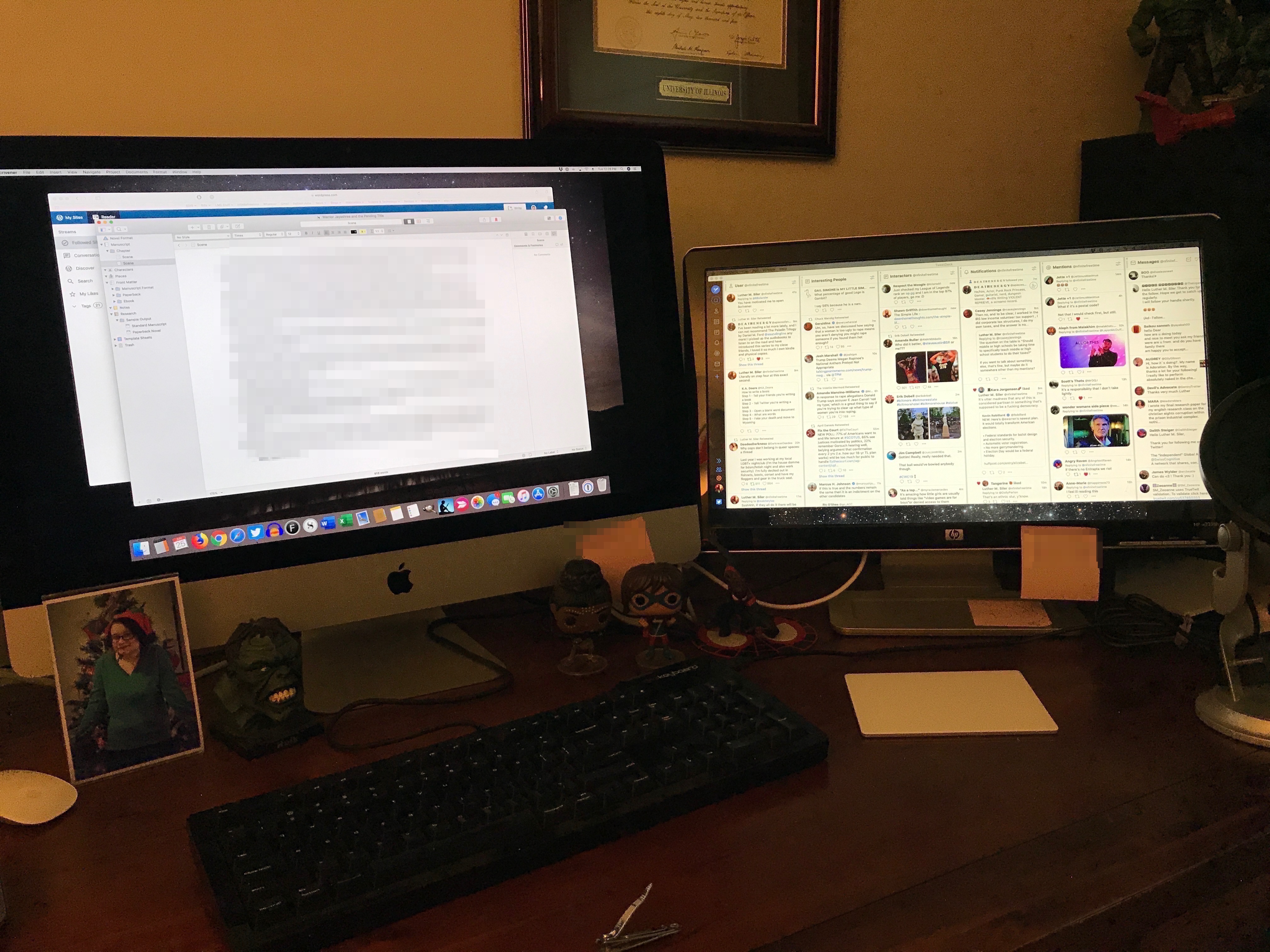
This is my desktop setup:

You will note that TweetDeck is on the right, smaller monitor, and that Scrivener is on the left, larger monitor, which is also the actual computer. That’s how I want it.

Tweetdeck opens in the primary monitor nine times out of ten, and if there’s a pattern to that tenth time I can’t find the goddamn thing. Scrivener opens in the secondary monitor every single time.

I understand that this is very much a first world goddamn problem but it is driving me nuts. I assure you I have Googled the shit out of this and I cannot find a solution that actually works to getting those apps to open where I want them, so if one of you could Google it and post the first link, which will be something I have never seen before and will solve the problem immediately, I would appreciate it. This issue has clearly decided that it will not be resolved until I am at least moderately humiliated and fuck it at this point I’m fine with that.

(Note that any solution involving right-clicking on an app and going to “options” no longer works with Mojave.)

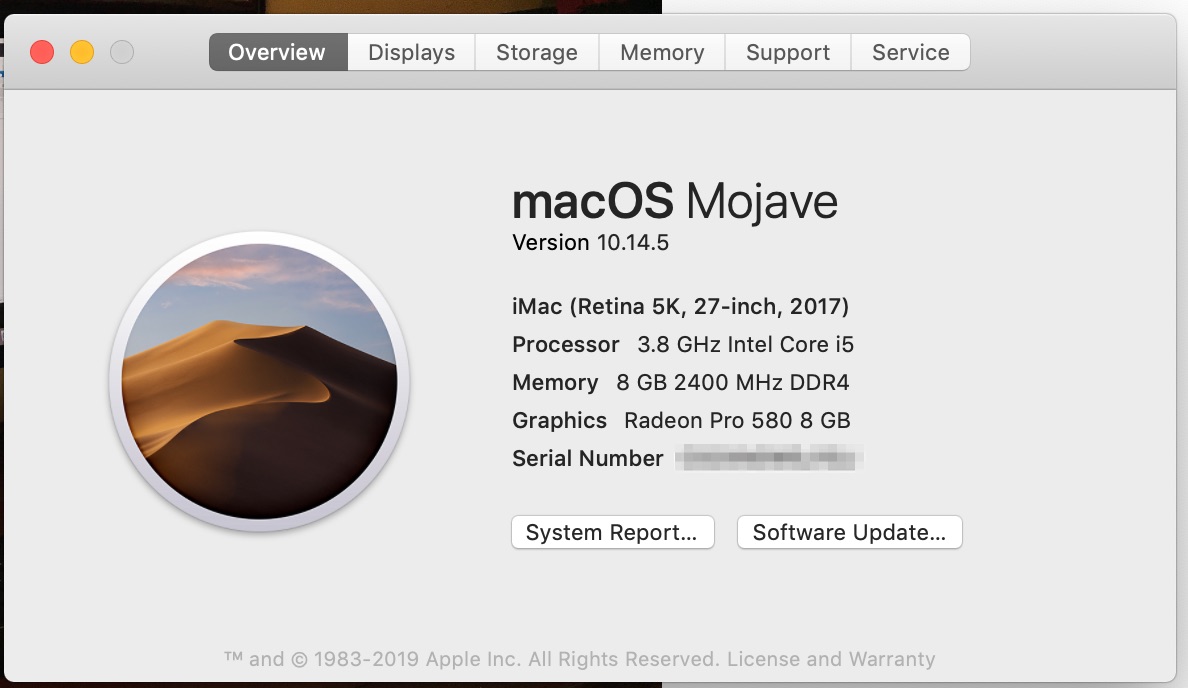
And because it’s probably relevant:

(I have no idea if anything nasty can be done with the serial number for my computer, but I figure let’s not take chances.)

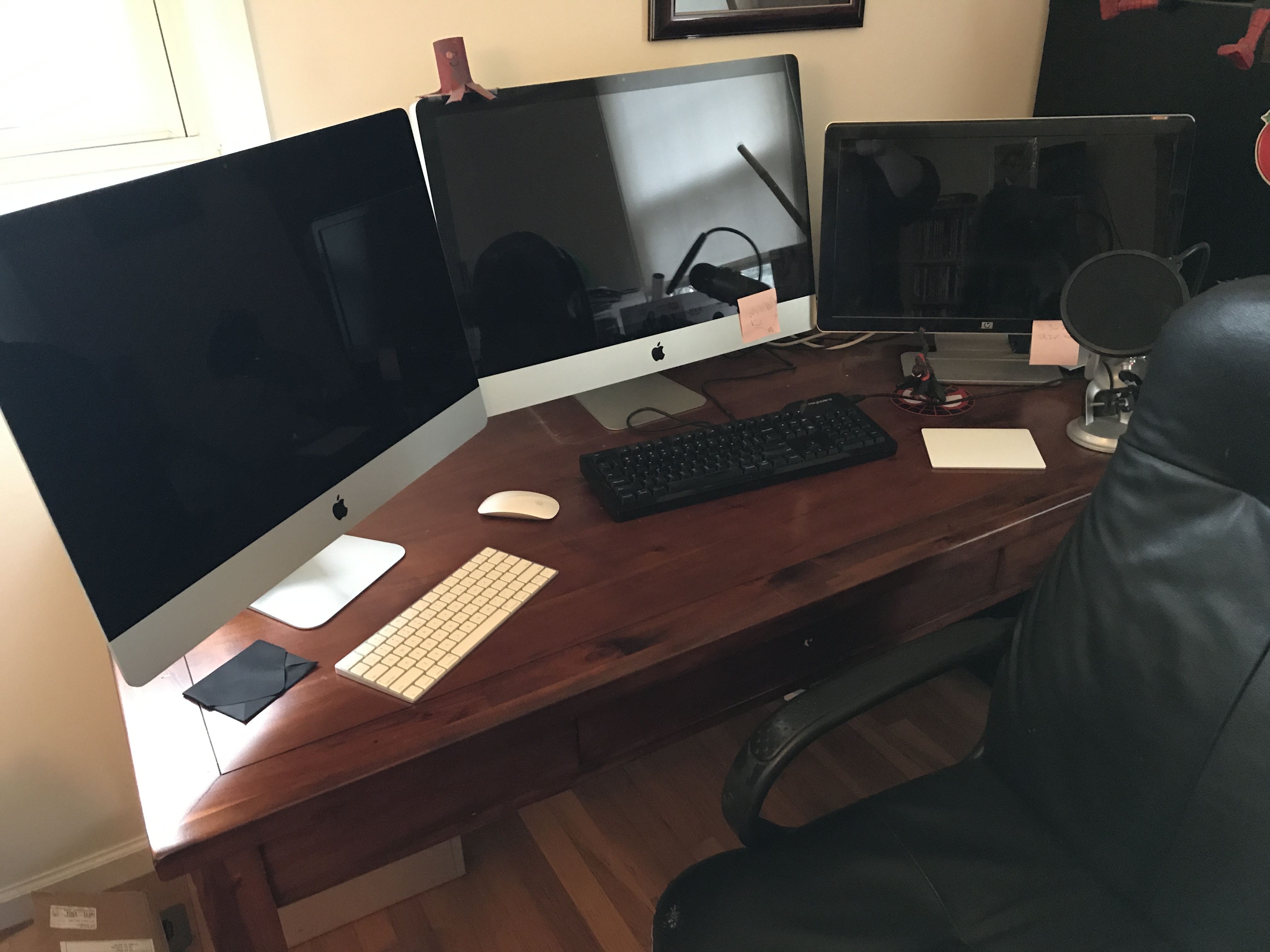
In which I am a supervillain

This picture is either a testament to Apple’s utter dereliction in terms of innovative design over the last eight years or a sign that they believe they’ve achieved actual perfection in the iMac’s form factor. From where I’m sitting, the 2011-model iMac in the middle and the screaming beast I purchased today to finally replace it look exactly identical. From the side, you can tell that the newer one is much thinner, but if I’d simply replaced one with the other and not told my wife I’d bought a new computer I doubt she’d ever have noticed.

If you were reading this and thinking Luther, weren’t we just talking about your tendency towards poor financial decisions earlier this week? that’s not unfair, but: I submit that I got this computer for fifteen percent off because it is actually the flagship of last year’s model and not this year’s, that I have enough cash on hand to pay for half of it at a single go, and that with all the overtime I’ve been making at work lately paying it off by the end of the summer is a very reachable goal despite the nice chunk of change I dropped on it. Am I going to do that? Probably not, actually, because it’s not strictly necessary– but as I’ve also said this week my initial desktop has been making worrying noises at me and generally behaving in a somewhat untrustworthy manner and I’d rather replace the computer at a time of my choosing and not because it decided to go away.

The third monitor on the right is just a monitor and will be remaining on the desk; I mostly use it to display TweetDeck and iTunes while I work on the primary monitor. I may look into if I can just use the older computer as a secondary monitor– I don’t think I can, at least not in the same plug-it-in-and-don’t-worry-about-it fashion that I can the actual monitor does. I can’t convince it that it’s just a monitor and not a computer, in other words.

Next step: move my actual keyboard and the touchpad over to the new computer. I’m typing this on the bullshit tiny wireless keyboard they included with it, and while it’s a substantial improvement over any other wireless keyboard I’ve used, it’s also tiny and ridiculous and I demand size and a number pad and high degrees of clickiness from my keyboards, and the Das Keyboard that I have on my desk is perfect for me. The wireless mouse also has to go. I don’t use this as a gaming machine, so I don’t need a mouse at all, and the touchpad is wonderful.

Welcome to the new hotness, I guess.